Lunduke.com

Archive for the ‘Tech Stuff’ category

App Inventor 1This week, Google has released the first version of Android App Inventor, a tool for visually developing applications for Android powered devices.

Being as I develop another visual software development tool (Illumination Software Creator), I’ve received a rather hefty pile of emails from people asking me my thoughts on it.

Let me be frank: I couldn’t be happier about it. I am, in a word, thrilled.

Any tool that helps to make computing fun and accessible to more people is A-OK in my book!

Along those lines: I don’t view App Inventor as a direct competitor to Illumination Software Creator in any way.

Google’s Android App Inventor is really a pretty standard development environment.  It includes a nice, straight forward visual designer to lay out the look and feel of your application.  And, likewise, it includes a pretty straight forward, run of the mill, programming language.

App Inventor 2The key differentiator, from “standard” programming tools, being that you don’t actually type your code, you drag and drop pieces of your code and lock them together.  (The “code editor” is based on the, very cool, Scratch — which is focused on making it easier to teach children programming and logic.)

Illumination Software Creator takes an entirely different approach — self contained “blocks’ that can be linked together without any restrictions.

In this regard using Illumination to create an application is much like playing with lego building blocks.

Whereas using Android App Inventor to create an application is much like… well… programming an application… with a mouse instead of a keyboard.

The approach of the two is almost night and day different… and both are worth while in my opinion.

Android App Inventor even has the, extremely cool, feature of being able to live debug your applications on your phone as you build them.  I declare that “Super Neat-O”.

Overall, I am overjoyed.  An attempt at bringing Android smartphone development to anyone who has an urge to tinker.  I love it.

Another big plus, in my book, is that App Inventor is supported on Linux, Windows and MacOS X (just like Illumination Software Creator).  Cross platform support is a big deal in my mind.  Providing people and organizations with the freedom to choose their own platform is critical.

Which brings my to the big downside to App Inventor — It is focused on one single target platform (Android).  That really is my only big complaint, and is a key piece what will, in the long run, dramatically limit App Inventor’s usefulness.

ISC 1That’s really the key big difference between App Inventor (Android only) and Illumination Software Creator (Mac, Windows, Linux, Nokia Tablets, Adobe Flash/Flex Websites and, soon, Haiku-OS).

(That screenshot on the right is Illumination Software Creator… not App Inventor.  That’ll give you an idea of the workflow and design differences of the two visual programming tools.)

I certainly understand Google’s interest in furthering and focusing on Android, I just find that limitation… limiting.  This is the same basic limitation that, say, using X-Code to write iPhone applications creates.

What happens when you want to run your software on another platform?  Can’t.  Stuck.  Time to re-write from scratch (or mostly from scratch).  I am lazy.  I don’t want to have to re-write something I’ve already written.

But, that aside, App Inventor looks great.   I highly recommend it to anyone who wants to dabble in Android development.

That is, of course, until Illumination Software Creator releases official support for building Android apps.  Then using App Inventor will be just plain silly. :)

admob_logoSo Apple has a new advertising platform for iPhones.

And, yesterday it is made clear that Apple does not want Google’s advertising platform (AdMob) for mobile devices on iPhones.

Then, today, the head of AdMob made it clear that he thinks that what Apple is doing sucks (my words).

There are, roughly, 1.21 jigawatts of dollars at stake.

And I don’t care.  Not even a teensy, tiny bit.

And here’s why.

iad_logoApple is being a giant baby.

So Apple decided to make a product to force-feed advertising down our throats.  Awesome.  Great.  Way to go Apple.

But they don’t want Google to be able to use their advertising product on the iPhone (even though Google was there first), so they change their terms of service to intentionally keep Google out.

Just to be crystal, freaking clear here: Apple is banning third party developers from even attempting to use the iPhone platform with their own software.

This would be like Microsoft banning any company from even making a web browser for Windows.  If that happened the entire world would erupt into a frenzy, light the torches, and head for Redmond demanding blood.

What’s the matter?  Apple doesn’t think they can make an advertising service that can compete with AdMob?  So they pull a total jerk move and just state that “Google can’t play in our sandbox anymore!”.  It’s like a toddler throwing a tantrum.

I guess we shouldn’t be surprised at this point.  This sort of behavior is pretty much expected from Apple these days.  Sad though.  We’ve come a long way from the early Apple.  The days when their first machines actually shipped with the schematics of the hardware.  They’ve gone from empowering people, and pushing things forward… to locking down their hardware and software and attempting to legally ban people from even using them.  Sad, sad days.

Advertising sucks.

I should clarify that statement.

Advertising has always, and will always be around.  No doubt about that.

And there is nothing inherently wrong with the simple act of “letting people know that you make something, and they can buy it from you”.  In fact, that is a necessity.

But things are getting out of hand.

colgate-comedy-hourLets look at Television for a second.

Back in the 1960′s, an hour long TV show would have about 9 minutes of advertising (including in-show ads, “product placement”  and ads between shows).

Flash forward to today and that same, hour long, TV show will typically have about 18 minutes of dedicated, standalone, advertising (not including product placements).  (This gets way, way worse for those that watch much Reality TV shows.)

The net result is that the simple act of looking at advertisements has become one of the most common and time intensive things we do each day.

And that is, without a doubt, terrible.

Advertising on mobile devices sucks.

With all that in mind, why on this green earth of ours, would we want to fill every single gadget and device we own with yet more ads?

Go to make a phone call or look up an address?  Boom.  Ads.

Go to search for posts on a social network for a particular type of car?  Ka-blamo.  Ads.

This is getting way, way out of hand.

I don’t care how “impressive” the advertising platform is from a technical standpoint.  I don’t care if I can look at an advertisement for a car, on my phone, that lets me rotate the car with my finger.  If it uses up even one quarter inch of a 3 inch screen… that’s too much.

And, yes, I know developers need to earn a living.  That is a topic I tend to talk quite a lot about.  And if including embedded advertisements within mobile applications is a way to do that… I have a hard time poo-poo-ing the idea.

But, just the same, it is a bad idea.  A very, very bad idea.

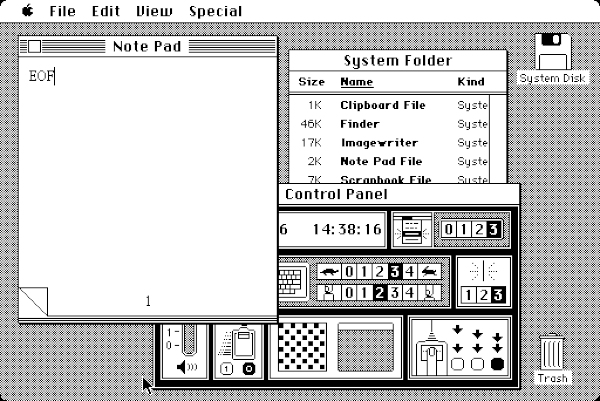
macintosh_128k_transparencyHow would you have felt if, in 1984, you turned on your shiny new Macintosh 128k only to be presented with “Brought to you by Bank of America” with a small, interactive display taking up half the screen about why that company is great.

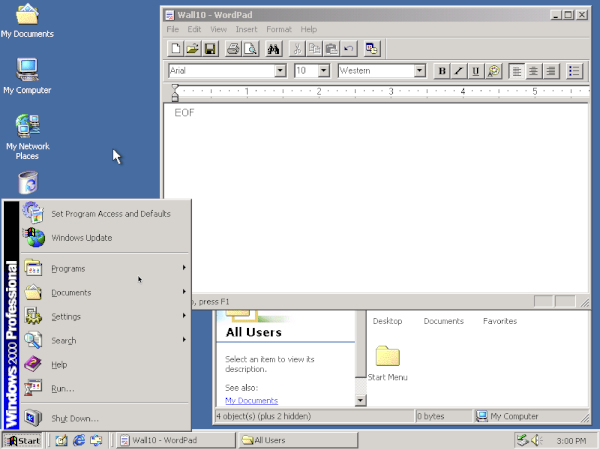
Or how about if you turned on your trusty PC.  Windows 95 boots up.  Everything is normal.  Then you go to launch Notepad and the top half of the Notepad window is taken up by a display for Paula Abdul’s latest album.  And, when you accidentally mouse over that portion of the window, small clips of the songs start playing and the advertisement expands to take up your whole monitor.

Sounds awesome?  Because that is exactly what is happening right now on some of these mobile devices (especially the iPhone).

So I just don’t care.

If Apple wants to act like a toddler throwing a tantrum.  Fine.

If they want to turn mobile devices into something more about turning us into better, more rabid, consumers of advertisements… and less about bringing on a new era of portable computing power and freedom… Fine.

They are taking what could be an amazing step in computing history and turning it into something that sucks.

And that sucks a lot.

Luckily, for us, there are companies out there producing mobile devices that are not bogged down with ads.  And those are the companies that we should be supporting.

ISC Mac BetaThe first beta release of Illumination Software Creator 2.0 has landed for MacOS X!

If you’ve used Illumination on Windows or Linux, you know exactly what to expect.  Everything is exactly the same… only now you can visually develop your software projects on MacOS X as well.

You can grab the beta version for MacOS X from the Illumination page on the top right (says “Mac OS X (Beta)”).

Also be sure to take a look at the MacOS X Support Files page to make sure you can run applications built with Illumination on your Mac.  (You need to have PyGTK installed — the instructions and files you’ll need are located on that page… don’t worry, it’s simple!)

Illumination 2.0 Beta 1 is only available for MacOS X.  Windows and Linux versions of Illumination 2.0 will be available in the next Beta release (when Adobe Flex/AIR support begins to roll out).

If you are new to Illumination entirely, check out the online tutorial and example projects to give you an idea of how easy it is to build your own applications without writing any code.  If you have questions, bug reports, suggestions or simply want to hang out with other Illumination users, the Illumination Support Forum is the place to be.

I should also reiterate that anyone who purchases Illumination Software Creator now gets a free upgrade to 2.0 (and all 2.1, 2.2, etc. releases) when it ships.  You can get an idea of what’s coming in Illumination 2.0, 2.1, and onward in the roadmap.

Text Editor ExampleI’m going to go ahead and call this an awesome day.

The first big update to Illumination Software Creator (version 1.1) has shipped for Linux and Windows!

Lots of new features to help you build ever more powerful applications in a %100 visual way.

There are three big ones (in my opinion):

  • There is now an official “loop” block, so you can easily have real “do while loops” in your applications.
  • Full ability to handle text files (with proper open/save dialogs, etc.).
  • And, of course, you can now run shell scripts directly from Illumination-built applications.  Which makes it super easy to build interfaces to automate command line tools.

And all of that power is still super easy to use even if you  have zero programming experience.

This is, of course, a free upgrade for existing users.  New users can try out the demo version and purchase a copy over at the store.

iscexampleloopingHere’s the big, beefy list of new features:

  • New window control: Multi-line “TextField”
  • New Variable Type: “Text File”
  • New Block: “Do While” loop
  • New Block: “Close Window”
  • New Block: “Run Shell Script” (contained within the new “System” block section)
  • New Block: “Open Text File Dialog”
  • New Block: “Save Text File Dialog”
  • New Block: “Read All Text From File”
  • New Block: “Save All Text To File”
  • New Block: Get and Set blocks for TextField control
  • New Project Settings option in Project Menu
  • Can now adjust the height and width of a project working area to any size (big or small) within the Project Settings

There are also some updated examples that show off some of these new features.

And, once again, a big thanks to the community for sending in their feedback and bug reports during beta!

Now that version 1.1 is out, the attention is turned to version 2.0 (which will also be a free upgrade) and bringing full Adobe Flash/Flex/AIR support (in addition to the existing Python/GTK support).

Text Editor ExampleThe 2.0 version of the coolest, 100% visual software development tool on the planet, Illumination Software Creator, has been announced.  (You can read the press release here.)

Okay, I’ll admit it… I’m a tad biased.  But, even if I weren’t, this 2.0 upgrade… great guacamole, Batman.  This is some seriously good stuff.

I’ll cut straight to the big points:

  • Now includes a native MacOS X version of Illumination Software Creator itself.  (So now all of our Mac friends can come hang out with us.)
  • Full support for building Adobe Flex websites.
  • Full support for building Adobe AIR desktop applications.
  • 2.0 will be a free upgrade to everyone who has purchased, or will purchase, Illumination 1.0.
  • Public Beta for 2.0 will be available in the coming days and will be announced here and on the official support forum.

This is where things start to get really cool.

So now you can build your own software.  Completely visually, without writing a single line of code (you don’t even need to have any programming experience to dive right in).

And then you can run that software on:

  • Linux, Windows or Mac Desktops using either Python or Adobe AIR (take your pick!)
  • On your Nokia Tablet using Python
  • On your website using Adobe Flex
  • Or on any device where Flash is supported

Text Editor 2If that’s not awesome, I don’t know what is.  We’re talking “T-Rex with a jet pack and lasers” kind of awesome here.

You can check out version 1.0 (for Linux and Windows).  Take part in the Beta over at the Support Forum (the Beta for version 1.1 is set to wrap up in the next few days, after which “2.0 Beta 1″ will be made available).

And, of course, you can buy a license over here for $49.  (Which is less than the cost of most video games.  Or as someone, somewhere, probably has said, “Why I do declare!  That’s a super dandy deal!” … We don’t hear the phrase “super dandy” enough…)

Copyright © Lunduke.com. All rights reserved.